How to Run GrowX on Your Own X API App and AI Key in 2026
Connect your own X developer app with one Client ID and add your own AI key, so X and your AI provider bill you directly for what you use.
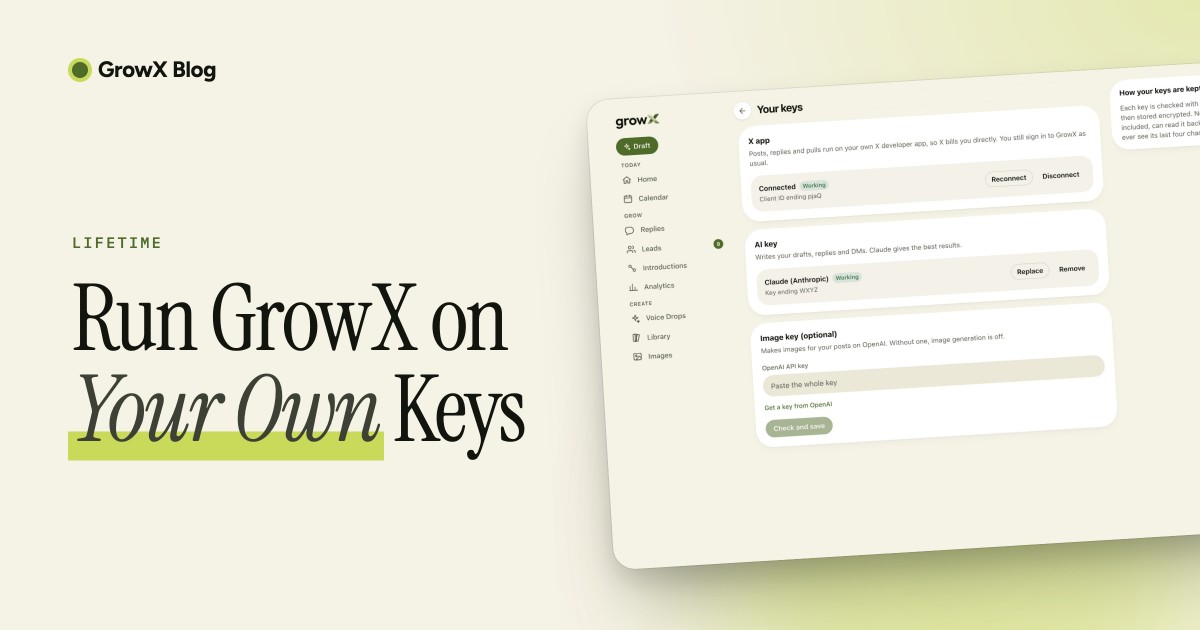
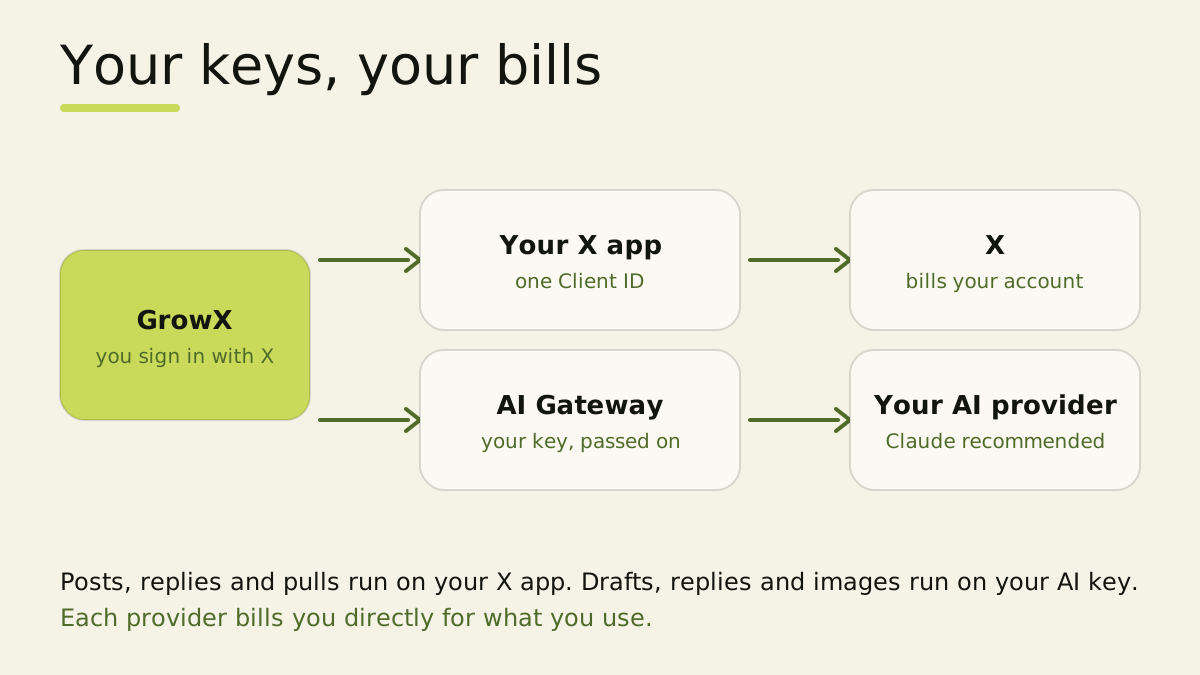
To run GrowX on your own X API app and AI key, create an X developer app, set it up as a Native App with Read and write, paste its Client ID into GrowX and press Connect. Then paste an API key from your AI provider, with Claude as our recommendation. From then on X bills your developer account for your posts, replies and pulls, and your AI provider bills you for your drafts.
1. Create an X developer account and add credits
Sign in to the X Developer Console with the X account you use for GrowX and create a project and an app. At the time of writing (October 2026), the X API runs on pay-per-use pricing: you buy credits up front and each request draws them down, with usage visible live in the console.
Start with a modest top-up and watch the console for a week. Your spend follows your posting schedule and how often you pull new leads.
2. Set the app up as a Native App with Read and write
Open your app's User authentication settings and choose:
- App permissions: Read and write.
- Type of App: Native App.
- Callback URI: copy it from the Your keys screen in GrowX.
- Website URL: copy it from the same screen.
A Native App is what X calls a public client: it signs in with OAuth 2.0 and PKCE, using the Client ID alone. That is why there is no secret to copy or paste.
3. Paste the Client ID and connect
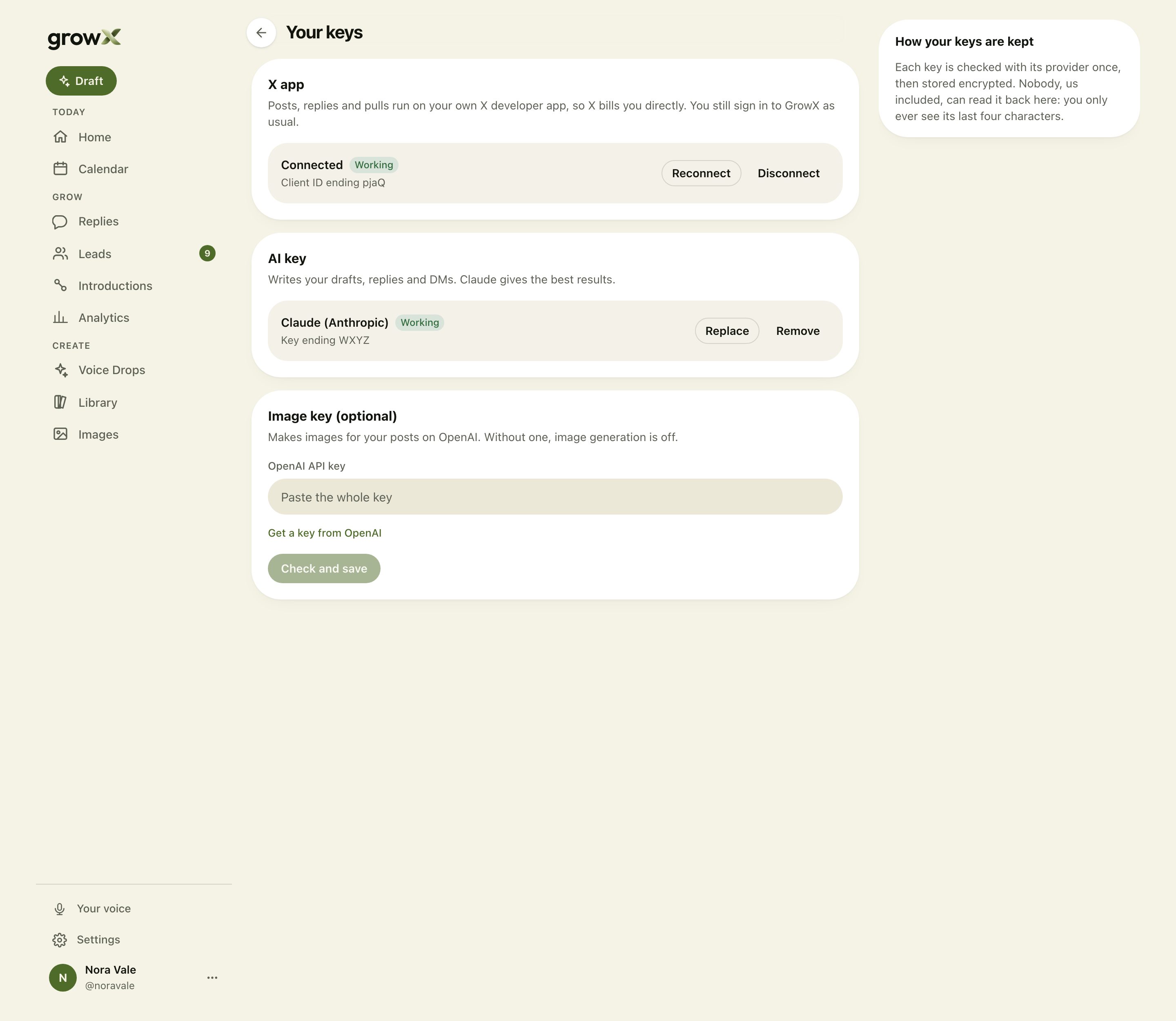
Copy the Client ID from your app's Keys and tokens page, paste it into the X app card on the Your keys screen and press Connect X. X asks you to approve the app once, then sends you back to GrowX.
GrowX checks that the app signed in to the same X account you use for GrowX, so your posts always go out from your own profile.
4. Add your AI key
Pick your provider on the same screen and paste a key:
- Claude (Anthropic): our recommendation for everything GrowX writes. Create a key under Settings, API keys in the Claude Console.
- OpenAI: runs the same models GrowX uses by default.
- Gemini, Grok, DeepSeek or Mistral: name the model you want, and GrowX uses it for every task.
- Groq, Cerebras or OpenRouter: the way to run open-source models. Name the model, and GrowX checks it against the provider's own list.
GrowX checks each key once with its provider before saving it. Claude follows GrowX's writing rules most closely, so start there and switch later if you like.
5. Add an OpenAI key for images (optional)
Images run on OpenAI's image models, so the image card takes an OpenAI key. Leave it empty and everything else keeps running; image generation simply stays off until you add one.
What to expect
Once both are connected, GrowX works as it does on any plan, and the bills for X and AI go to your accounts. X charges per request from your credits, and your AI provider charges per word written, so both move with how much you post, reply and pull.
If a provider refuses a key, or your credits run out, GrowX shows a short notice on every page with a link to fix it. Top up or reconnect, and it clears on the next call that works.
Frequently asked questions
Do I still sign in to GrowX with X?
Yes. You sign in with X exactly as before. Your own X app is a separate, one-time connection that carries your posting, replies and pulls.
Why can't I just paste a single X API key?
X's single-string key, the Bearer Token, reads public posts only. Posting, replying and uploading images need your own signed-in account, which is what connecting your app with its Client ID gives GrowX.
Is my API key safe with GrowX?
Each key is checked once, then stored encrypted and tied to your account. GrowX shows only its last four characters, and you can remove it at any time from the Your keys screen.
Can I use an open-source model?
Yes. Bring a key from Groq, Cerebras or OpenRouter and name the model you want. Drafts read most like you on Claude, so it is worth comparing.
What happens when my X credits run out?
X stops accepting requests from your app, and GrowX shows a notice asking you to top up. Your drafts keep coming on your AI key, and posting picks up again once your credits are back.
Can I change provider later?
Yes. Press Replace on the AI key card and paste a key from another provider. The next draft runs on it.
Related articles
- How to Schedule Posts on X
- How to Grow on X With Replies
- Does Automation Hurt Engagement on X?
- How to Make Money on X
GrowX writes your posts and replies in your voice and finds the people talking about what you sell, and with your own keys connected it runs on accounts you control. See how GrowX works.