
X Advanced Search in 2026: Every Search Operator and How to Use It
Find any post, buyer or reply target on X in seconds. Every X advanced search operator in a table, with an example you can copy.

X advanced search lets you find posts by exact words, account, date, language and engagement. Open it on the web at x.com/search-advanced, fill in the fields you need and press Search, or type search operators such as from:, since: and min_faves: straight into the search box on any device. This guide covers the form, every operator worth knowing (the same ones people still call Twitter advanced search operators) and the searches we use to find customers and reply targets. Checked November 2026.
1. Open the advanced search form
On a computer, go to x.com/search-advanced while logged in. You can also run any search, then open the menu at the top right of the results and choose Advanced search. X describes the form on its advanced search help page and, at the time of writing (November 2026), it is available only to logged-in accounts.
The form groups its fields into four parts:
| Section | Field | The operator it writes |
|---|---|---|
| Words | All of these words | word1 word2 |
| Words | This exact phrase | "exact phrase" |
| Words | Any of these words | word1 OR word2 |
| Words | None of these words | -word |
| Words | These hashtags | #hashtag |
| Words | Language | lang:en |
| Accounts | From these accounts | from:handle |
| Accounts | To these accounts | to:handle |
| Accounts | Mentioning these | @handle |
| Filters | Replies and links | filter:replies, filter:links (add - to exclude) |
| Engagement | Minimum replies | min_replies:10 |
| Engagement | Minimum likes | min_faves:10 |
| Engagement | Minimum reposts | min_retweets:10 |
| Dates | From and to | since:2026-10-01 until:2026-11-01 |
After you press Search, look at the search box: the form has turned your choices into a line of operators. Copy that line and you can reuse or tweak it anywhere.
2. Search from your phone
The iPhone and Android apps have a search bar and a few filters, while the full form is a website feature. You have two routes on mobile:
- Type operators into the app's search bar.
from:handle min_faves:50 since:2026-10-01works the same as the form. - Open x.com/search-advanced in your phone's browser while logged in and use the full form.
We recommend the first. Once you know five operators, typing them is faster than any form, and the search goes straight into the app you already use.
3. Learn the core search operators
These are the operators people use every day. Combine as many as you like, separated by spaces.
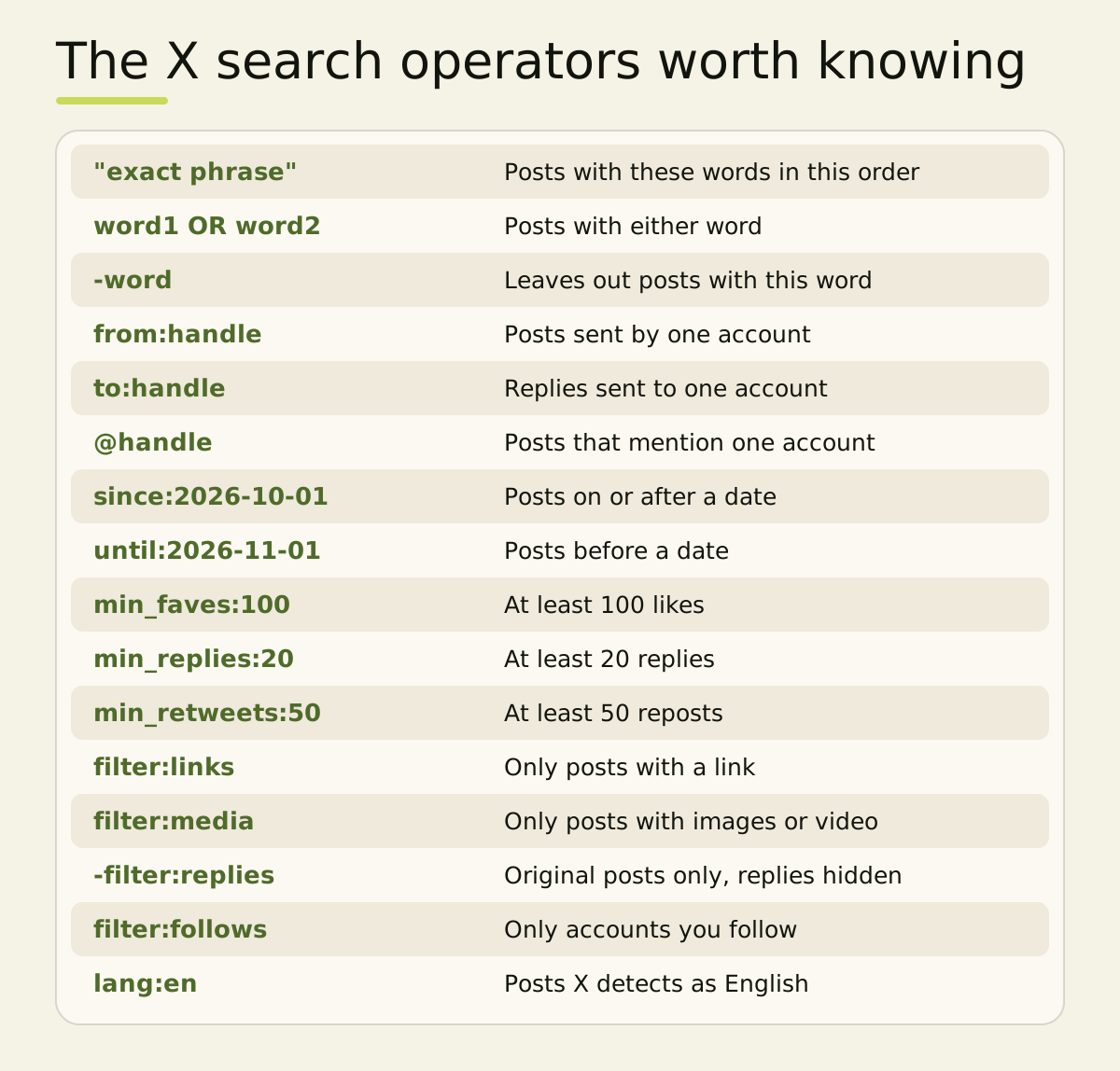
A few rules make them behave:
- Write OR in capitals. Lower-case "or" is searched as a word.
- Put no space after the colon.
from:handleworks andfrom: handledoes not. - Dates use YYYY-MM-DD.
until:is exclusive, sountil:2026-11-01stops at the end of 31 October. - A minus sign excludes anything, including operators:
-filter:linkshides posts with links. - Brackets group words.
(pricing OR billing) from:handleapplies both words to one account.
4. Every X search operator, with an example
X's advanced search help page covers the form, and its X Pro help page lists a handful of operators, but X publishes no complete list. The most thorough reference is Igor Brigadir's twitter-advanced-search guide on GitHub, which tests each operator. The table below combines both, checked November 2026. X can change any operator without notice, so test a search before you rely on it.
Words and phrases
| Operator | What it finds | Example |
|---|---|---|
word1 word2 |
Posts containing both words, in any order | onboarding checklist |
"exact phrase" |
The words together, in that order | "cold email" |
word1 OR word2 |
Either word | pricing OR billing |
-word |
Leaves out posts with that word | saas -crypto |
( ) |
Groups terms so an operator applies to all | (churn OR retention) from:handle |
#hashtag |
Posts with a hashtag | #buildinpublic |
$cashtag |
Posts with a cashtag | $TSLA |
? |
Posts that ask a question | crm recommendations ? |
lang: |
Posts X detects as one language | lang:en |
Accounts
| Operator | What it finds | Example |
|---|---|---|
from: |
Posts sent by one account | from:handle |
to: |
Replies sent to one account | to:handle |
@handle |
Posts mentioning an account | @handle pricing |
list: |
Posts from members of a public list | list:owner/list-name |
filter:verified |
Posts from verified accounts | invoicing filter:verified |
filter:blue_verified |
Posts from accounts with paid verification | ai agents filter:blue_verified |
filter:follows |
Posts from accounts you follow (web, logged in) | hiring filter:follows |
Dates and time
| Operator | What it finds | Example |
|---|---|---|
since: |
Posts on or after a date | since:2026-10-01 |
until: |
Posts before a date (the date itself is left out) | until:2026-11-01 |
since_time: |
Posts after a Unix timestamp, to the second | since_time:1793491200 |
until_time: |
Posts before a Unix timestamp | until_time:1794096000 |
within_time: |
Posts from the last days, hours, minutes or seconds | within_time:2h |
Engagement
| Operator | What it finds | Example |
|---|---|---|
min_faves: |
Posts with at least this many likes | min_faves:200 |
min_retweets: |
Posts with at least this many reposts | min_retweets:50 |
min_replies: |
Posts with at least this many replies | min_replies:20 |
-min_faves: |
A minus sets a maximum instead | -min_faves:50 |
Post type
| Operator | What it finds | Example |
|---|---|---|
filter:replies |
Replies only (-filter:replies gives original posts) |
-filter:replies |
filter:self_threads |
Posts in the author's own thread | from:handle filter:self_threads |
filter:quote |
Quote posts only | filter:quote launch |
quoted_tweet_id: |
Quotes of one post, by its ID | quoted_tweet_id:1234567890 |
conversation_id: |
Every post in a conversation, by the first post's ID | conversation_id:1234567890 |
in_reply_to_tweet_id: |
Direct replies to one post, by its ID | in_reply_to_tweet_id:1234567890 |
include:nativeretweets |
Adds reposts, which search leaves out by default | from:handle include:nativeretweets |
filter:nativeretweets |
Reposts only (reach back about a week) | from:handle filter:nativeretweets |
Links and media
| Operator | What it finds | Example |
|---|---|---|
filter:links |
Posts with any link | -filter:links |
url: |
Posts linking to a domain or a word in the URL | url:example.com |
filter:news |
Posts linking to news sites | interest rates filter:news |
filter:media |
Posts with any image or video | filter:media dashboard |
filter:images |
Posts with images | landing page filter:images |
filter:videos |
Posts with video | demo filter:videos |
filter:spaces |
Posts that share a Space | founders filter:spaces |
card_name: |
Posts with a card type, such as a poll (about a week back) | card_name:poll2choice_text_only |
Location
| Operator | What it finds | Example |
|---|---|---|
near: |
Posts tagged near a place | near:London |
within: |
Sets the radius for near: |
near:London within:15km |
geocode: |
Posts tagged within a radius of coordinates | geocode:51.50,-0.12,10km |
Location operators only find posts with a location attached, which is a small share of posts. When an operator returns nothing, drop it and try again before you assume there are no posts. A quote post or a long thread often shows up more cleanly with filter:quote or conversation_id: than with keywords.
5. Find customers and reply targets
A search is only useful if you run it again. These recipes cover research, customers and replies.
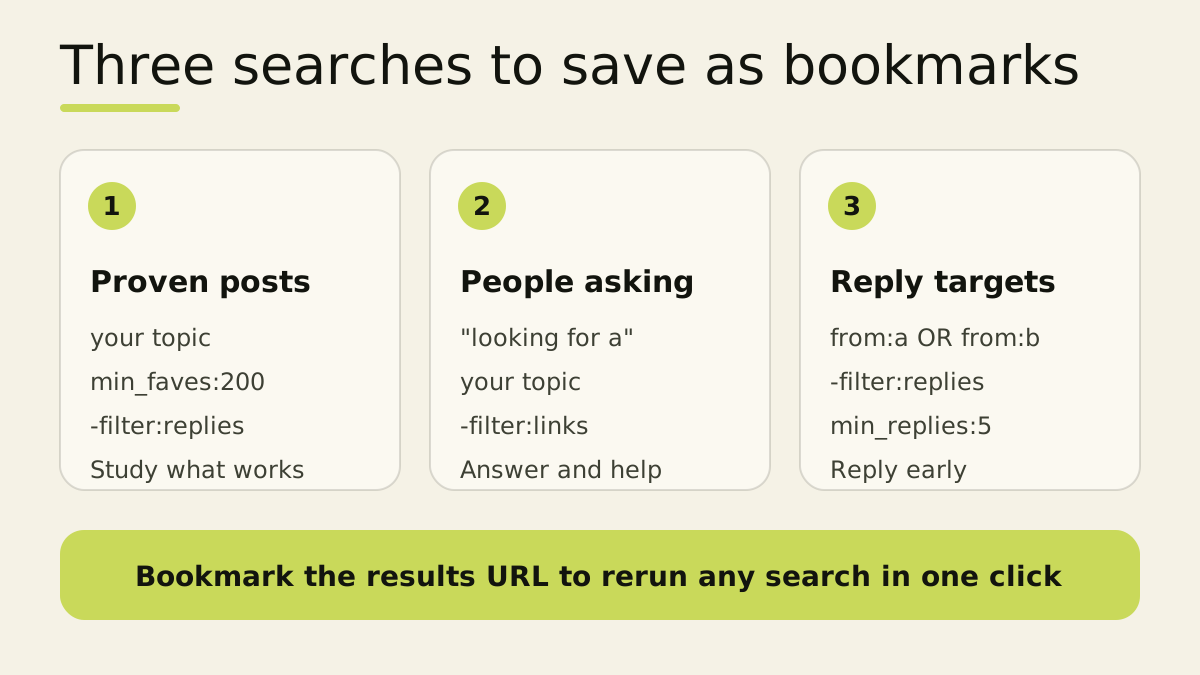
Proven posts in your niche
your topic min_faves:200 -filter:replies lang:en
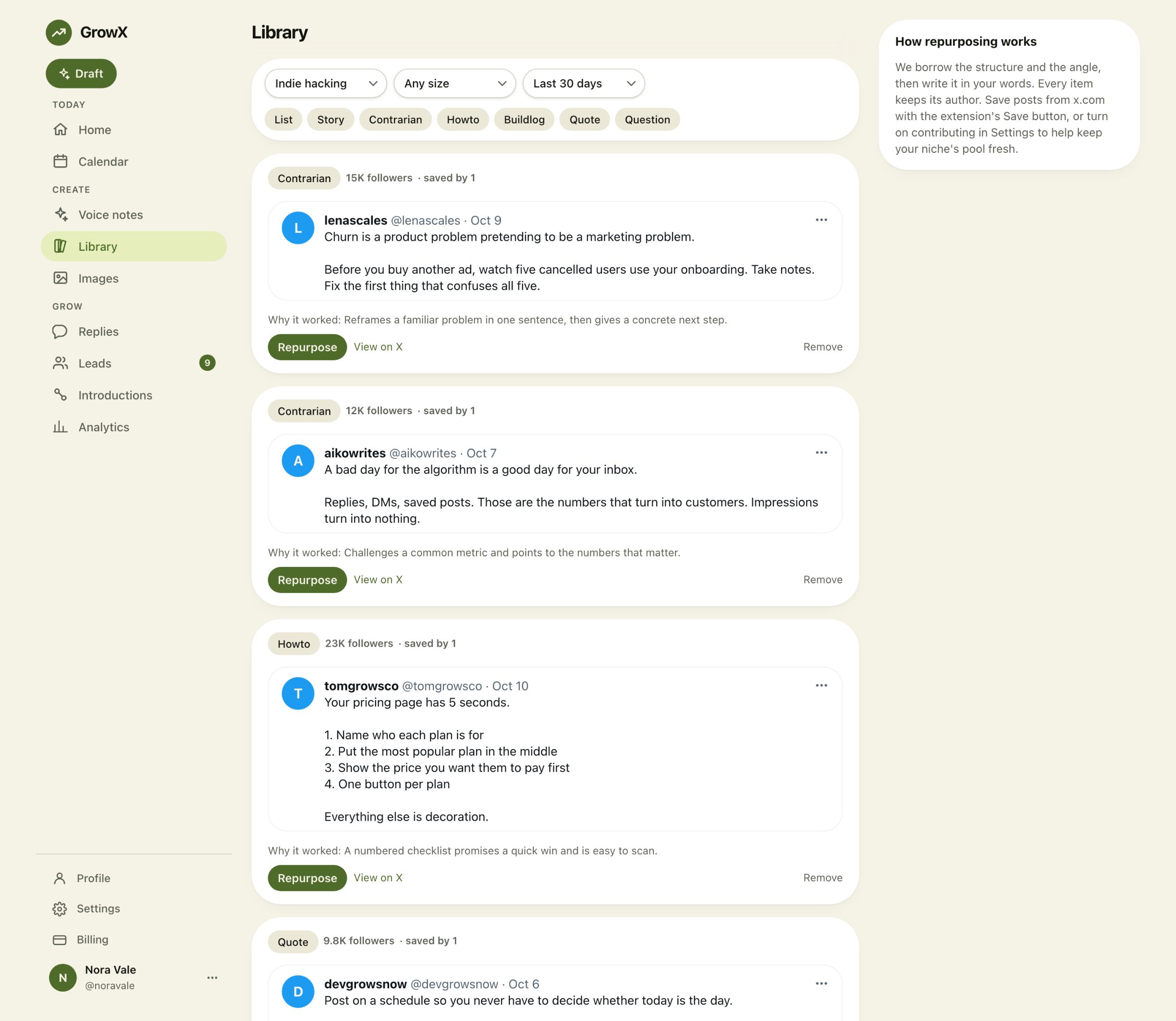
This shows original posts on your topic that earned real attention. Read the top twenty and note the hook, the format and the length, then try your own openings in the free hook generator. GrowX keeps a library of popular posts with a short note on why each one worked, and our free hook library gives you more openings to try.
People who might buy
Buyers describe their problem before they search for a product. These searches find them; swap in your category and a competitor's name.
| Signal | Search |
|---|---|
| Asking for a tool | "looking for a" CATEGORY -filter:links -filter:replies |
| Asking for options | "any recommendations" OR "any recs" CATEGORY ? |
| Leaving a competitor | "switching from" OR "alternative to" COMPETITOR |
| Frustrated with the problem | PROBLEM ("so tired of" OR annoying) -filter:links within_time:7d |
Open the Latest tab, since buyers are usually small accounts that Top leaves out. Answer helpfully in public before any DM. Our guide on how to find customers on X covers the signals and DM templates, and the X for founders playbook fits it into a daily routine.
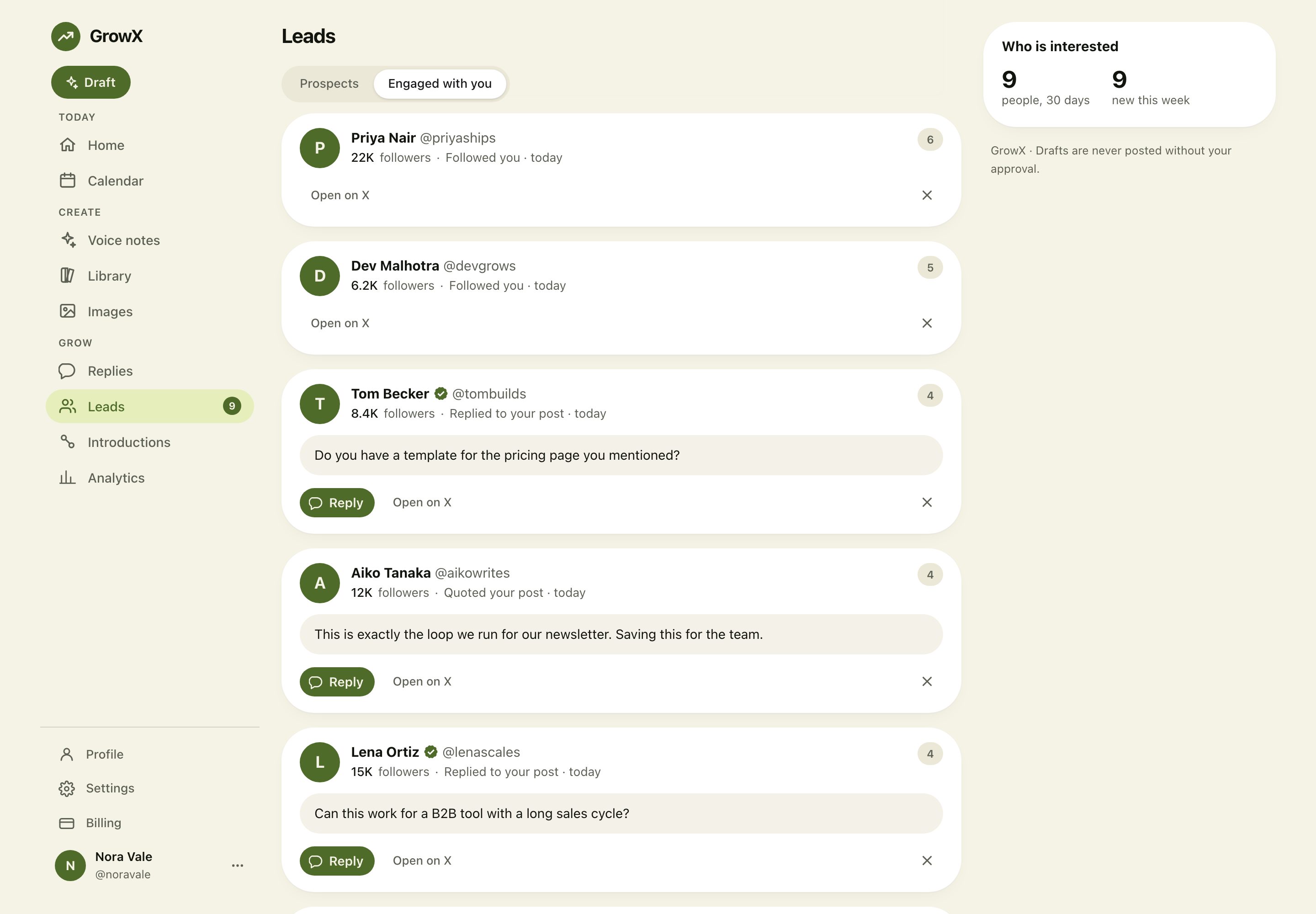
GrowX Leads runs this kind of search for you: add your website and it searches X for people asking for what you sell every few days, keeps the likely buyers and drafts a first DM that you edit and send yourself.
Fresh posts to reply to
from:handle1 OR from:handle2 -filter:replies within_time:2h
Put five to ten accounts in your niche into one search and run it during your daily reply session. Posts under two hours old are where a thoughtful reply gets seen, as we explain in how to grow on X with replies. Add min_replies:5 to find conversations that are already moving, or -min_replies:20 to find ones where your reply will not be buried. The free reply generator writes three replies to any post you find, and you pick and post the one that sounds like you.
Keep them one click away
At the time of writing, X's saved searches help page says saved searches are unavailable on x.com, and reports from March 2026 describe them disappearing from Android too. The reliable route is your browser: run the search, then bookmark the results page. The operators live in the address, so the bookmark reruns the search with fresh results every time.
6. Know the difference between search operators and API operators
Tools that search X through the X API use a related but different language. The API writes is:reply where x.com writes filter:replies, has:links for filter:links and min_likes: for min_faves:, and it rejects some x.com operators outright. When a tool asks for a query, check which set it expects. The x.com operators in this guide are for the search box.
What to expect
Advanced search finds posts quickly, and a few things vary:
- Top and Latest give different results. Top favours posts with engagement. Latest lists everything in date order. Switch tabs when a search looks thin.
- Older posts can be patchy. Very old posts, deleted posts and posts from protected accounts may be missing.
- Language detection is automatic.
lang:relies on X's guess, so short posts are sometimes tagged wrongly. - Operators change. X adds and retires them without announcements, so test a search before you rely on it for a weekly routine.
Spend twenty minutes building your searches today. After a week of running them, you will know your niche's best posts, a handful of people who need what you offer and a reliable list of conversations to join.
Frequently asked questions
How do I open advanced search on X?
Go to x.com/search-advanced while logged in, or run any search on x.com and choose Advanced search from the menu at the top right of the results. Fill in the fields and press Search.
Is there advanced search in the X app?
The full form is on the website. In the iPhone and Android apps, type search operators such as from:, since: and min_faves: into the search bar, or open x.com/search-advanced in your phone's browser.
How do I search someone's posts on X by date?
Type from:handle since:2026-01-01 until:2026-02-01 into the search box. The since date is included and the until date is excluded, so this finds everything the account posted in January 2026.
How do I find popular posts on a topic?
Add an engagement threshold to your keywords, such as your topic min_faves:500 -filter:replies. Raise or lower the number until the results show the posts that stood out.
Can I save searches on X?
At the time of writing, X's help pages say saved searches are unavailable on x.com. Bookmark the results page in your browser instead, because the address holds the whole search.
How do I find customers with X advanced search?
Search for buyer phrases plus your category, such as "looking for a" CRM -filter:links, and open the Latest tab. Reply helpfully in public first, then send a short personal DM once they engage.
Do Twitter search operators still work on X?
Yes. The operators from the Twitter days, such as from:, to:, since:, until:, min_faves: and filter:links, still work in X search. A few rarer ones change over time, so test a search if it returns nothing.
Related articles
- How to Grow on X with Replies
- How to Find Customers on X in 2026
- How to Grow on X in 2026
- How to Make Money on X in 2026
Turn searches into conversations
Search shows you who to talk to. GrowX runs the buyer searches for you with Leads, drafting a first DM for each likely customer that you edit and send yourself, and it drafts replies in your voice for the posts you want to join. To try the reply step today, paste any post into the free reply generator.